Mobile Apps
10 Restaurant App Benefits for Ordering and Repeat Visits
Explore restaurant app benefits, ordering and POS integration requirements, loyalty planning, customer adoption, costs, and a first-launch checklist.
MyPocket · 6 min read · Updated
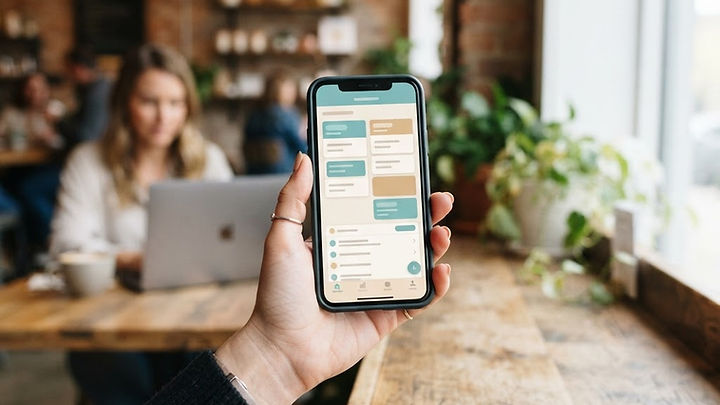
A restaurant app can make repeat visits more convenient when it connects reliably with the restaurant's operations. Not every restaurant needs a dedicated app: a mobile-friendly website or an existing ordering platform may serve occasional customers better.
1. Convenient access to key tasks
An app can bring ordering, reservations, and opening hours together. Keep availability accurate and make important actions easy to complete without unnecessary registration.
2. Customer-selected preferences
Saved favorites and order settings can reduce repeated entry. Let customers review choices every time, particularly where food preferences or allergy information require staff attention.
3. Clear loyalty benefits
A loyalty program can give returning customers a reason to participate. Explain eligibility, expiry, and redemption conditions clearly, and consider its cost before promising rewards.
4. Easier ordering
Readable menus and clear modifiers can help customers place orders. Show prices and fees before confirmation and ensure the kitchen receives the correct details.
5. A route to customer support
Feedback and help links can make it easier to report a problem. Explain response expectations and provide an alternative contact method when a customer needs immediate assistance.
6. Opportunities for repeat purchases
Convenience may encourage repeat orders, but additional revenue is not assured. Compare app costs, payment fees, discounts, and fulfilment expenses with actual customer adoption.
7. Useful operational information
Order trends can help identify popular items and busy periods. Use proportionate data collection and avoid retaining personal information merely because it might be useful later.
8. Relevant updates
Opt-in announcements can tell customers about a requested update or event. Offer preference controls and respect marketing consent rather than assuming every app user wants promotional notifications.
9. Better coordination with restaurant systems
Connecting orders to established tools may reduce manual entry. Confirm integration support, assign a source of truth, and plan how staff handle failures or unavailable items.
10. A service tailored to regular customers
A dedicated experience can support familiar routines. Validate it with your own customers instead of assuming an app is necessary solely because other restaurants have one.
Start with one customer journey
Explore restaurant and other business app options, review the case for a business app, and tell MyPocket about your restaurant to discuss a suitable scope.
A restaurant app should fit the service model
A quick-service restaurant with frequent repeat orders has different needs from a reservation-led dining room or a seasonal catering business. Start with the transaction customers perform most often and the operational process that supports it. A menu app without accurate availability and a dependable order handoff can create more work for staff than it removes.
Compare a branded app with a mobile-friendly ordering website and your existing platform. Consider how customers will discover the tool, whether they order frequently enough to install it, and what staff must maintain. Our mobile app benefits guide helps compare delivery options. A restaurant that primarily needs discoverable menus and contact details may benefit first from better website design.
Trace an order from menu to kitchen
Document the full journey: item selection, modifiers, collection or delivery details, payment, kitchen acceptance, customer confirmation, and any refund. Define which system controls prices and availability. If a menu item sells out, the app should not continue accepting orders based on stale information. If a connection fails after payment, staff need a clear process to determine whether an order exists.
Confirm the capabilities and terms of the actual point-of-sale or ordering vendor before promising a direct integration. Decide how taxes, fees, tips, discounts, and cancellation conditions are displayed. An order-received message should not be confused with kitchen acceptance or a guaranteed collection time. These details are part of the customer experience, not technical work to leave until the end.
An illustrative repeat-order experience
Imagine a lunch restaurant whose regular customers often order the same meal. Saved favorites could reduce repeated selection, while a review screen confirms current prices and item availability. The customer should still be able to change modifiers and see any fees before paying. Previously selected preferences should never be treated as a guarantee that a dish is safe for a particular allergy.
This is a hypothetical design scenario rather than a MyPocket performance claim. The restaurant should evaluate whether the tool reduces abandoned orders or staff corrections without overwhelming kitchen capacity. Test with ordinary and busy-period scenarios. A faster customer checkout is not beneficial if the operational process cannot fulfill the resulting orders accurately.
Make loyalty rewards sustainable
Define how points or rewards are earned, redeemed, and expired, and publish the conditions clearly. Consider whether discounts improve repeat visits enough to justify their cost. Prevent confusing combinations of promotions and make it easy for staff to resolve a disputed balance. A loyalty feature should support the restaurant's economics, not simply reproduce a competitor's offer.
Separate service messages from marketing. A customer may want an order-status update but not daily promotional notifications. Provide preference controls and use consent practices appropriate to the channel and jurisdiction. Measure actual repeat ordering and margin where you can do so responsibly. More push notifications or registrations do not automatically mean stronger customer relationships.
Plan a launch staff can maintain
Assign ownership of menu updates, hours, offers, customer support, and failed-order handling. Train staff before inviting all customers to use the app. Include an alternative ordering route so an outage does not leave people without a practical way to contact the restaurant. Keep opening hours, pickup instructions, and support expectations consistent with the website.
A small pilot with regular customers can expose confusing wording and integration problems. Record corrections and support requests, not just installations. Include transaction charges, platform subscriptions, maintenance, and marketing in the budget. Our business app planning article explains how to compare those costs with the benefit of a repeated workflow.
Restaurant app launch checklist
- Select the main customer task and the locations included in the pilot.
- Confirm the authoritative menu, pricing, and availability system.
- Test modifiers, payment failures, duplicate submissions, and refunds.
- Define kitchen acceptance and realistic customer status messages.
- Publish loyalty, notification, and cancellation conditions clearly.
- Assign menu maintenance, customer support, and outage responsibilities.
- Evaluate adoption, order accuracy, support effort, and operating cost together.
Frequently asked questions about restaurant apps
Will a restaurant app increase sales?
It may make ordering more convenient, but additional sales are not guaranteed. Adoption, food quality, service, pricing, and operational capacity still matter. Compare the cost of the app and promotions with actual customer behavior.
Does every restaurant need custom development?
No. An existing ordering product or a responsive website may be sufficient. Custom work is more appropriate when a specific experience or integration cannot reasonably be supported by the tools already available.
Should customers have to create an account to order?
Only if the workflow genuinely needs it. Unnecessary registration can create friction. Consider guest ordering where appropriate, while explaining which benefits require an account and collecting only necessary information.
Scope the ordering journey first
Explore MyPocket restaurant and mobile app options, then describe your ordering process and existing systems. Build around accurate fulfillment and repeat customer needs before adding optional features.