Mobile Apps
10 Business App Benefits and When to Build One
Evaluate ten business app benefits, compare build-versus-buy options, plan integrations and ownership, and scope a useful first release.
MyPocket · 7 min read · Updated
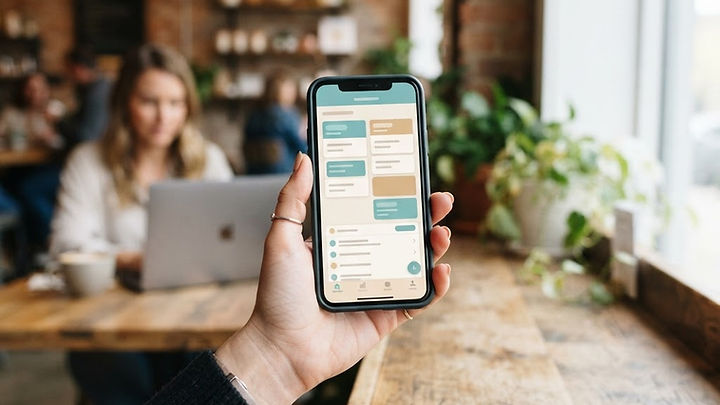
A business app can support a task that customers or employees perform frequently. It is not automatically better than a website or an existing product. Start with a clear problem, compare alternatives, and assess ongoing costs before committing.
1. Streamline repeated processes
A task-based workflow can reduce manual handoffs. Map the current process first and measure its completion time so you can evaluate whether the new approach genuinely helps.
2. Make customer communication more relevant
An app can provide requested status updates and messages. Ask for notification permission, give people preference controls, and avoid turning useful communication into repeated promotions.
3. Organize operational data
Structured records can make information easier to maintain. Assign ownership, set retention periods, and establish which system is the source of truth before connecting other tools.
4. Support work away from a desk
A mobile interface can help employees record work where it happens. Consider connectivity, device security, and whether offline access is necessary rather than assuming uninterrupted internet.
5. Present a consistent brand experience
Clear language and familiar visual elements can make an app easier to recognize. Brand consistency matters, but practical usefulness is what gives people a reason to keep using it.
6. Simplify recurring customer tasks
Bookings, repeat orders, and account updates may benefit from saved preferences. Keep registration and data collection proportionate to the task instead of creating unnecessary barriers.
7. Offer a suitable purchasing channel
Ordering can be convenient when customers buy frequently. Account for payment requirements, refunds, fulfilment, and transaction costs; adding checkout does not guarantee additional sales.
8. Reduce avoidable administrative effort
Automation may reduce re-entry and checking work. Compare any savings with development, hosting, maintenance, integration, and support costs across the life of the app.
9. Differentiate through a better workflow
A useful experience can distinguish your service from alternatives. Focus on a real customer frustration rather than copying features simply because competitors offer them.
10. Create room for gradual improvement
A maintained app can evolve with your business. Plan updates, permissions, and data portability; no technology choice eliminates the need for future maintenance.
Decide whether an app is the right next step
Read seven mobile app benefits and explore MyPocket mobile app development. For occasional visits or public information, a responsive website may be enough.
Start with the process, not the feature list
A business app is worth considering when people repeatedly struggle to complete a task with the tools they already have. Write the current process as a sequence: who starts it, what information is required, where approval happens, and what marks completion. Include exceptions, such as a missing document, a cancelled appointment, or an incorrect customer record. Those exceptions often determine whether the app will be useful in daily work.
The broad question “Should we build an app?” becomes easier when replaced with “How should customers request and track this service?” That narrower question may lead to a custom app, a configured existing product, or a website improvement. The mobile app benefits guide compares delivery options; this article focuses on the business process and operating responsibilities behind them.
Build, buy, or connect existing tools?
Buying an established product can be appropriate when your workflow is common and the product already supports your essential requirements. Connecting existing tools may be enough when the main problem is repeated data entry. Custom development becomes more compelling when a distinctive process, user experience, or integration cannot be reasonably supported by available products.
Compare total ownership cost rather than the first invoice. Include subscription increases, migration, training, hosting, maintenance, support, and future supplier changes. Ask how your records can be exported and what happens if an integration vendor withdraws an interface. Our custom software development services explain a project-led approach, while software ideas to validate help distinguish a genuine product opportunity from a feature wish list.
Example: improving a field-service handoff
Imagine a team that receives a job by email, writes progress notes on paper, and enters the same details into a spreadsheet at the end of the day. A task app could display the assigned job, collect a structured status update, and route it to the office. The first benefit to validate is a cleaner handoff, not whether the app looks more modern than the spreadsheet.
This hypothetical example needs decisions about connectivity, attachments, permissions, and correction of mistakes. If a technician submits an update twice after losing a connection, the system should not create two billable events. If a job is reassigned, access should follow the new assignment. Test these conditions before expanding the scope into scheduling, payments, or automated customer communication.
Adoption is an operating responsibility
Even a well-designed app can fail when staff do not understand when to use it or customers cannot see why installation is worthwhile. Assign an owner for onboarding, feedback, and support. Introduce the first workflow with clear instructions and provide an alternative during the transition. Avoid forcing everyone into a complex new process before the pilot demonstrates value.
Measure successful completion of the task, the number of corrections, and the support effort required. Compare those figures with a baseline and account for changes in workload. If people abandon the app, ask whether the task is too infrequent, registration is unnecessary, or the existing process is simpler. More features are not always the answer to low adoption.
Plan permissions and data ownership early
Define what customers, staff, supervisors, and administrators can read or change. Restrict access to the records required for each role, including server-side enforcement. Do not rely on hiding a button to protect a sensitive operation. Establish retention, export, and deletion procedures appropriate to the records you collect.
Identify a source of truth for each major data type. For example, the app may display an invoice while the accounting system remains authoritative. Document how conflicting updates and failed transfers are handled. A custom interface should make the process clearer, not create a second set of records that staff must reconcile manually.
First-release planning checklist
- Name the business problem and the people who experience it.
- Define one end-to-end task and the exceptions it must handle.
- Compare existing products, integrations, and custom development.
- Establish permissions, account ownership, and data export requirements.
- Assign responsibility for onboarding, content, support, and maintenance.
- Specify a baseline and the operational measures that will guide expansion.
Frequently asked questions about business apps
Is a business app only useful for large companies?
No. A small team can benefit from a frequent, costly workflow problem, while a larger company may be adequately served by existing tools. Frequency, complexity, and operational fit matter more than company size alone.
What should be included in the first version?
Include everything needed to complete one valuable task reliably: necessary inputs, permissions, confirmations, and handling of common exceptions. Defer optional dashboards, rewards, or AI features unless they are essential to that task.
How do we know when to add more features?
Use pilot feedback and operational evidence. Add a feature when it solves a demonstrated obstacle, not simply because it appeared on the original wish list. Consider its ongoing support cost before approving it.
Build around a measurable business need
Explore MyPocket business app development and describe the workflow you want to improve. A clear process and responsible owner make the project easier to scope and maintain.