Mobile Apps
10 Church App Benefits and a Ministry Launch Checklist
Explore church app benefits for sermons, events, communication, and giving, with privacy safeguards, accessibility, and a sustainable launch plan.
MyPocket · 6 min read · Updated
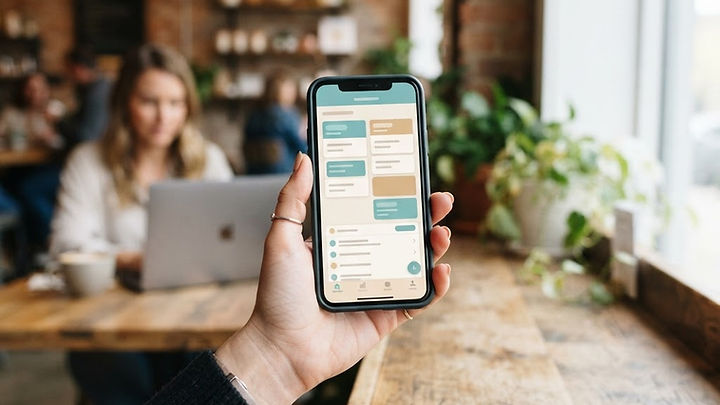
A church app can provide another way for people to stay connected with a ministry. Its value depends on your congregation's needs, access to devices, and willingness to use it. Keep non-app communication available so the digital experience does not exclude people.
1. Share important updates
A central place for service times and announcements can reduce confusion. Assign someone to maintain the information and let members choose which updates they receive.
2. Support community connections
Group resources and communication tools may support participation between services. Plan moderation and appropriate safeguards rather than assuming an open discussion space will manage itself.
3. Offer access beyond the building
Links to approved recordings or livestreams can help people unable to attend. Confirm the streaming service, permissions, captions, and availability before promising live access.
4. Provide a convenient giving route
An app may link to or integrate an established giving service. Explain fees, receipts, and privacy, and keep other giving methods available; an app does not guarantee increased donations.
5. Organize ministry resources
Sermons, study materials, and newcomer information can be easier to find in one place. Use descriptive titles and accessible formats, and make sure you have permission to distribute materials.
6. Coordinate events
Schedules and registration can simplify planning. Include location, time zone, accessibility information, and cancellation updates, while collecting only the information needed for attendance.
7. Maintain information responsibly
Member records require careful access controls and retention decisions. Treat prayer requests, children's information, and other sensitive material with particular care and appropriate consent.
8. Help newcomers find their next step
Clear invitations and contact information can help visitors learn about the ministry. Public website content remains important because newcomers may not want to install an app first.
9. Keep members connected when away
Recordings and resources can support people travelling or unable to attend. An app supplements pastoral and personal contact; it should not be treated as a substitute for them.
10. Plan a sustainable communication budget
A digital tool may reduce some printing, but hosting, maintenance, media storage, and staff time still cost money. Compare options and assign responsibility for updates before launch.
Choose a practical starting point
Explore MyPocket church and mobile app options and responsive websites, or share your ministry's goals to discuss a manageable first release.
Choose the congregation's need before the technology
Ask members, visitors, ministry leaders, and office staff how they currently find information. Identify repeated confusion, such as outdated event details, difficulty locating sermons, or uncertainty about volunteering. The app should address those actual problems rather than introduce a second place where the same incomplete information is stored.
A public website remains important for people who have not yet connected with the church. A dedicated app may serve regular participants better when they repeatedly use events, recordings, or group resources. Compare the options in our mobile app planning guide. Retain phone, printed, and in-person communication where needed so installation is not a condition of participation.
An illustrative events-and-sermons first release
Imagine a congregation whose main requests are a dependable event calendar and easy access to sermon recordings. A first release could present current events, registration details, and an organized recording library. It does not need open messaging, member directories, and personalized recommendations to test whether those two tasks become easier.
This hypothetical example still requires content ownership. Someone must update cancellations, verify links, and confirm which media can be distributed. Recordings may need captions or transcripts, and event descriptions should include location and accessibility details. Test with members who use larger text settings and with newcomers unfamiliar with ministry names. A polished interface cannot compensate for unclear or outdated information.
Protect prayer requests and member information
Treat prayer requests, pastoral notes, children's details, and group membership information as potentially sensitive. Decide what may be public, what requires authentication, and who can review or change a record. Do not publish a request simply because it was submitted through a form. Make consent, review, and removal procedures clear to both participants and staff.
Moderated group communication needs named administrators and rules for appropriate use. Consider safeguarding responsibilities and obtain guidance relevant to your ministry and jurisdiction. Do not assume that a standard chat feature provides suitable protection for children or vulnerable people. Collect only the details needed for the task and define how long the church retains them.
Connect giving without creating confusion
A giving feature can link to an established provider or use an appropriate integration. Confirm fees, recurring-payment behavior, receipts, cancellation, and who administers the account. Make it clear when a person is leaving the app for another service. Avoid storing payment card information in ordinary ministry records.
Keep alternative giving methods available and do not frame app adoption as a spiritual expectation. An app can make access more convenient, but it does not guarantee increased donations. Financial reporting and donor privacy remain organizational responsibilities. Explain the practical process and let participants decide which method suits them.
Build an editorial and maintenance routine
Assign owners for announcements, events, recordings, and newcomer resources. Agree how quickly an urgent correction is made and how information stays consistent with the website. Outdated content in several channels is harder to fix than one maintained source reused appropriately. Our website design guide explains why clarity and maintenance matter as much as appearance.
Include hosting, media storage, support, platform updates, and staff time in the budget. Review whether the app is helping members complete useful tasks, rather than judging success only by downloads. Ask people who do not use it what prevents participation. Accessibility, unfamiliar terminology, limited connectivity, or simply a preference for another channel may explain low adoption better than a lack of features.
Church app launch checklist
- Choose one or two recurring needs supported by congregation feedback.
- Assign an owner for each content area and a correction process.
- Distinguish public information from sensitive, permission-controlled records.
- Confirm media rights, captions, and accessible event descriptions.
- Define giving-provider responsibilities and clear account ownership.
- Establish moderation and safeguarding procedures before adding community tools.
- Keep non-app alternatives and include ongoing staff effort in the budget.
Frequently asked questions about church apps
Is an app a substitute for a church website?
Usually not. A website helps visitors discover service times and learn about the ministry without installing anything. An app can complement it with recurring member tasks, provided the information is maintained consistently.
Should prayer requests appear to every app user?
Not by default. Visibility should follow informed consent and a defined review process. Some requests may be appropriate for a prayer team only, while others should remain private pastoral information.
How can a small church start affordably?
Begin with the smallest useful scope and compare existing tools with custom development. Include recurring charges and staff time. A maintained calendar and recording library may be more valuable than a broad system the team cannot support.
Plan a sustainable ministry tool
Explore MyPocket church and mobile app development or share your ministry's communication needs. A manageable scope, clear content ownership, and inclusive alternatives help keep the project useful after launch.