Mobile Apps
PWA vs Native App: Which Fits Your Business?
Compare progressive web apps and native apps by user tasks, device capabilities, installation, offline work, distribution, and maintenance needs.
MyPocket · 6 min read · Updated

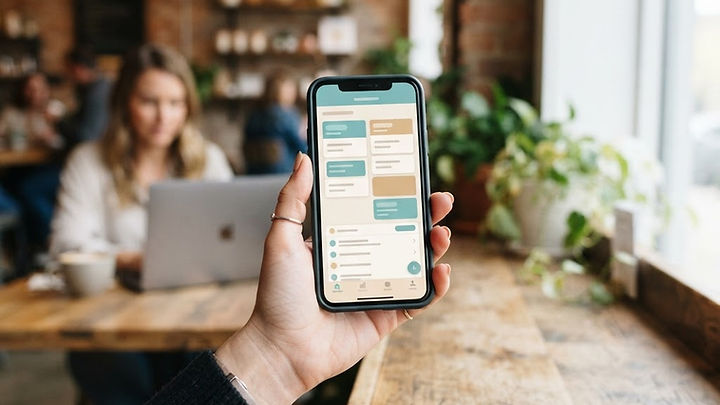
A business doesn't need to choose an app technology before it knows what people will do with the app. If customers mainly read opening hours, a responsive website may be enough. If employees record work away from a desk, the requirements may be quite different. Start with the task, then compare the delivery options.
A progressive web app, or PWA, is built on web technology and can be enhanced with installation and other app-like capabilities. A native app is built for a platform and usually distributed through its app store. Cross-platform development introduces additional options, so this is not simply a choice between one cheap solution and one expensive solution.
What users need matters more than the label
Write down how often the task occurs, whether users are signed in, which devices they use, and what would happen if the connection disappeared. Identify any required camera, location, notification, background, or storage capabilities. Then verify those requirements on the actual target platforms.
A capability available in one browser may behave differently in another. A native framework may still require platform-specific implementation. Don't choose based on a generic feature comparison copied from an old article. The web.dev PWA learning resources explain the underlying capabilities; your project still needs current device-level verification.
Installation and discovery follow different paths
A PWA can be reached through a normal web link. Supported devices may offer an installation experience, but the process varies. That can be helpful when visitors should try a task before deciding whether to install anything. It also means you should not assume every user understands where the installation option appears.
An app store creates a recognizable distribution channel and may be expected by your audience. It also brings account administration, review, listing, and release responsibilities. Being available in a store doesn't guarantee discovery or retention. Plan how people learn about the app and why they would return after the first use.
Offline access is a design requirement, not a checkbox
Both approaches can support selected offline behavior, but somebody must decide what is available, how long it remains useful, and how changes are synchronized. Showing a cached information page is different from allowing a technician to edit a job while another employee changes the same record online.
Define what happens to pending submissions, duplicate attempts, and conflicting updates. Show users whether information has actually reached the server. If the task cannot be completed offline, explain that clearly rather than letting a person assume an action succeeded. The relevant question is how reliably your workflow behaves, not whether the proposal contains the word “offline.”
Compare device capabilities carefully
If a particular device function is essential, prototype it early on representative hardware. Verify permissions, operating-system behavior, and any limitations when the app is not open. Don't defer this until the end simply because a supplier says the feature is generally supported.
For nonessential capabilities, progressive enhancement can make sense: provide a useful baseline and improve it where supported. A business portal should remain usable when an optional feature is unavailable. Our mobile app benefits guide helps separate essential workflow needs from features that merely sound attractive.
Consider updates and long-term maintenance
Web delivery can make some updates available without a store release, but that doesn't eliminate versioning, testing, or caching concerns. Users may have different stored assets or sessions. An app distributed through a store has its own release process, and customers may not update immediately.
Plan support for the versions people actually use. Include changes to operating systems, browsers, connected APIs, and security requirements in the maintenance scope. A single codebase can reduce duplication in some areas while still requiring testing across devices. Ask what the maintenance agreement covers rather than assuming either approach is maintenance-free.
A practical comparison: member bookings
Suppose a membership business needs customers to view availability and manage recurring bookings. A PWA might be a suitable option if the essential task works well in supported browsers and quick link access is valuable. A native app may be justified when the audience expects store distribution or the workflow depends on verified platform-specific behavior.
Neither choice solves the booking rules on its own. Availability, cancellation, account access, confirmations, and staff support still need implementation. Compare those requirements and adoption expectations before discussing visual polish. A technology decision should make the task easier to deliver reliably, not substitute for defining it.
Security and data ownership apply to both
Private records need server-enforced permissions regardless of the interface. Hiding a screen or control isn't enough. Plan authentication, account recovery, session handling, retention, and export. Review how information is stored on the device and how lost-device access is handled.
Establish which system holds authoritative records and how connected tools use them. A familiar app icon doesn't make a workflow secure, and being built with web technology doesn't automatically make it unsuitable for sensitive information. Evaluate the actual implementation and operating controls with appropriate specialists.
Questions for your development partner
- Which required capabilities have been verified on our target devices?
- What can a user complete without a network connection?
- How are pending submissions and conflicting changes handled?
- How will people discover, install, and update the app?
- Which accounts does our business own?
- What does ongoing maintenance include?
- Can our data be exported if we change suppliers?
Use the mobile app cost guide to compare the work behind each option. A lower first-release estimate can be misleading if a critical capability or operating responsibility has been excluded.
Common PWA and native app questions
Is a PWA always cheaper?
No. A complex web app with integrations and offline synchronization can require substantial work. Compare the actual scope, supported devices, distribution, and maintenance rather than assuming a fixed price relationship.
Can a PWA support notifications?
Support and behavior depend on the platform, browser, installation state, and permissions. Verify the intended experience on target devices before promising it to customers.
Should we build both immediately?
Only if a demonstrated need justifies the additional work. A focused first release can validate the task and audience before you expand distribution or add another implementation.
Choose the route that serves the task
Explore MyPocket mobile app development or describe your audience and required capabilities. The right choice follows the workflow, devices, and operating plan rather than a blanket preference for one app label.